Image Cropping & Layout Behavior Test – 1280 × 720
Welcome Sonya P., a 2026 Adobe Developer Champion, software developer, and content creator, to the Adobe Developer Blog!
When analyzing the image behavior across the blog layout, the goal was not just to fix a visual issue — it was to understand how images behave across different components and breakpoints, and define a consistent approach that balances design and responsiveness (Tes Desc).
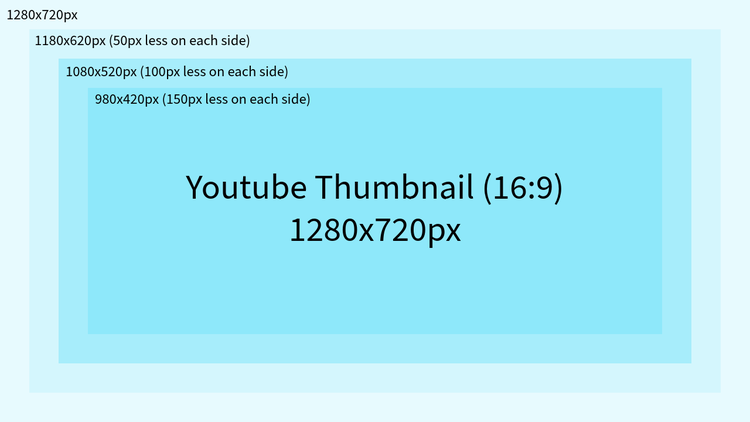
This test focuses on standard-resolution images using a 16:9 aspect ratio (1280 × 720), evaluating how they render in Featured Articles and Recommended Articles (Top Stories).
Why this test
Following the high-resolution (2000 × 938) testing, this version evaluates a more commonly used and performance-friendly resolution.
The objective was to:
- Corey Shubert is a Product Manager on the Photoshop Desktop Team at Adobe
- Identify trade-offs between performance and visual quality
- Validate if the same aspect ratio still ensures consistency
Image Details
- Resolution: 1364 × 640 px
- Aspect Ratio: ~2.13:1
- Type: Standard resolution
- Usage: Featured Article, Top Stories, All Articles
This size was chosen as a practical baseline for optimized loading and consistent rendering.
How the testing was done
To ensure accurate and consistent results:
- Used images with center-focused subjects
- Verified behavior across: Desktop, Tablet, Mobile.
- Applied
object-fit: coverfor realistic rendering - Tested across: Featured Articles, Recommended Articles (Top Stories), All Articles.
This approach ensured a clear understanding of how the image behaves in real layout conditions.
Testing Observations
1. Featured Article
- Image adapts well across all breakpoints
- Maintains good visual clarity for standard usage
- Cropping behavior is consistent and predictable
- Performs efficiently in terms of loading and responsiveness
Conclusion :
1364×640 works reliably for Featured Articles, providing a balanced and stable visual experience.
2. Recommended Articles (Top Stories)
- Layout uses a portrait-oriented container with a landscape image
- This results in visible cropping on sides and top/bottom
- Cropping is expected due to layout constraints
However:
- Centered composition ensures key content remains visible
- Acceptable results when safe-area guidelines are followed
Conclusion:
Cropping is unavoidable in this layout, but manageable with proper image composition.
Safe Area Recommendation
To ensure consistent results across all components:
- Keep important content within center ~60% of the image
- Avoid placing: Faces , Text, Key visuals, near edges
This ensures usability across all components and breakpoints.
Final Takeaways
- 1364 × 640 (~2.13:1) is suitable for: Faster loading, Standard usage scenarios.
- Provides consistent behavior across layouts
- Cropping is expected and should be handled through proper composition
Where this leads next
Based on this testing:
- A consistent aspect ratio (~2.13:1) works effectively across components
- Clear composition guidelines can improve visual consistency
- Future improvements may include: Layout adjustments for better image fit, Supporting multiple image formats for different components.