Dark Mode Is Coming to Adobe Express: What Add-on Developers Need to Know
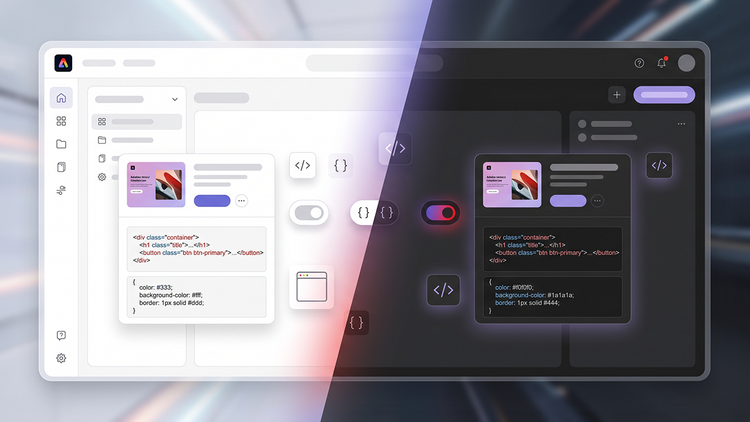
Adobe Express is adding dark mode to the application experience, giving creators more flexibility to personalize their workspace and work comfortably in the environment that suits them best. As one of the most requested customization and accessibility features, dark mode helps create a more consistent experience across Adobe Express while giving users greater control over how they create.
For add-on developers, this is an important update as well. The existing theme APIs used to detect the active theme will evolve to support both light and dark modes, so add-ons can respond to the user’s selected theme and feel like a natural extension of Adobe Express.
What this means for add-on developers
We strongly encourage developers to start thinking about how their add-ons look and behave in both light and dark themes.
When a user is working in dark mode, an add-on that also adapts to the selected theme will feel more integrated with the overall Adobe Express experience. Conversely, an add-on that remains in light mode only may appear visually inconsistent with the surrounding application.
While dark mode support won’t be a mandatory requirement, your add-ons should remain functional and usable in all themes supported by Adobe Express. Add-ons with broken or unusable UI won’t be accepted.
Existing add-ons in the marketplace will continue to work in light mode but if you want your add-on to support dark mode too, you will need to update it.
Dark mode is now available to all users in Adobe Express. Once you have made your add-on compatible with dark mode, please resubmit it after August 31st.
Building theme-ready add-ons
One of the best ways to prepare for dark mode is to use Spectrum Web Components (SWC) when building or modernizing your add-on UI.
Spectrum Web Components are designed to work with Adobe’s design system and theming capabilities, including dark mode. In many cases, they can reduce the amount of custom styling you need and make it easier to maintain a consistent experience over time.
To see this in practice, take a look at the existing SWC sample add-on in this repository. It’s a basic demo that shows how to use Spectrum Web Components without React, and its README specifically notes theme handling with sp-theme.
What to do next
Prepare your add-on for dark-mode by:.
- Assess your add-on. Review your UI and identify any custom styling that should adapt to dark mode. Check contrast, readability, and component behavior, and make sure your add-on still feels natural within Adobe Express. Follow the developer documentation for implementation guidance, and code samples.
- Test and publish. Test your add-on in both themes. When you’re satisfied with the experience, resubmit your add-on to make dark mode available to your users.
We’re excited to bring dark mode to Adobe Express and to see the add-on ecosystem evolve alongside it.