Build Adobe Express Add-ons Faster with Agent Skills
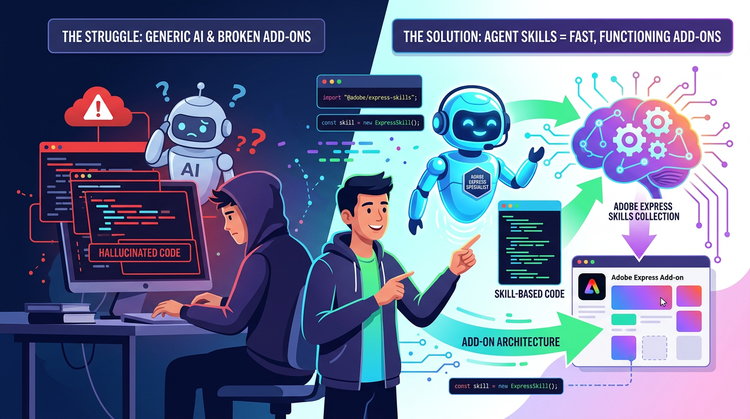
If you're building Adobe Express add-ons with an AI coding assistant, you know the pain: hallucinated code you spend hours fixing. The Adobe Express MCP server helps dodge some of it, but even then your AI struggles to build a complete add-on from scratch. The problem isn't the model — it's that we expect generic AI to understand specific architecture.
AI isn't here to be the "Creator", it's the amplifier. Its job is to remove the drudgery ceiling so your imagination and engineering can scale. But to do that, you have to give it the right brain.
That's why I open-sourced a new repository, the Adobe Express Skills Collection — turning a generic AI assistant into a specialized Senior Lead Architect for Adobe Express. Developers have already started using it, including those who don't traditionally write code, to architect functioning add-ons faster than ever.
Whether you are a seasoned software architect or a creative exploring code for the first time, here is how you can use Agent Skills to drastically speed up your workflow.
The Missing Link: Skills vs. MCP Servers
The biggest misconception in AI-assisted development right now is that the MCP server is the entire solution.
Think of the official Adobe Express MCP server as your Librarian. It is incredible at fetching the most up-to-date documentation, API signatures, and SDK facts directly from Adobe. But the Librarian doesn't understand business logic. It doesn't know how to architect a payment workflow, and it definitely doesn't know how to route state management across different UI pages.
That is where an Agent Skill comes in.
Think of a Skill as your Lead Architect. It is a specialized playbook that gives your AI the exact rules, format, and boundaries to do one job perfectly. The Skill holds the business logic. It tells the AI what to build and how to structure it, and then the Skill points the AI to the MCP server to get the specific code needed to execute it.
In our workflow, the official Adobe Express MCP server is actually a tool inside the skill set. That is why this repository comes with automated scripts to help you easily install the MCP server alongside the architectural skills.
The Collection of Skills
Massive, monolithic prompts confuse AI models and bloat their context windows. To fix this, I broke the repository down into highly specialized, modular skills:
- adobe-express-core: The foundational architecture. It teaches the AI the strict boundary between the iframe runtime (UI) and the sandbox runtime (document edits), and how they must communicate via explicit messages.
- adobe-express-spectrum-ui-ux: Handles your application's state management, page routing, and accurate implementation of Spectrum Web Components.
- adobe-express-monetization: The business logic for setting up payment flows, whether you are using subscriptions, one-off fees, or credit systems.
- adobe-express-document-manipulation: The guardrails for safely inserting shapes, text, and media into the user's canvas.
- adobe-express-cors-and-backend: The ultimate headache-saver for navigating cross-origin errors across local, private, and public stages.
- adobe-express-oauth-authentication: Secure blueprints for token storage and authentication flows.
How to Install and Use the Skills Today
I built this to be completely frictionless. You don't have to write these rules yourself; you just have to load them.
Step 1: Clone the Repository
Before you can run the setup scripts, you need to bring the toolkit to your local machine. Open your terminal and clone the repository:
`git clone https://github.com/sandgrouse/adobe-express-dev-skill.gitcd adobe-express-dev-skill`
Step 2: Install your Librarian (The MCP)
From your local directory, run the automated setup script to install the official MCP server:
node skills/adobe-express-core/scripts/setup-mcp-servers.mjs --target all
What this script does: Every AI IDE has slightly different configuration requirements. This script lets you choose exactly which IDE you're using — Cursor, Windsurf, Copilot, or Claude Desktop — and automatically formats and installs the Adobe Express MCP server for your setup.
Step 3: Install your Architect (The Skills)
Next, drop the business logic directly into your host's skills directory using the main installation script:
node install-skills.mjs
What this script does: Instead of a simple copy, this script moves the modular skill folders directly into your host's skills directory to increase processing speed and save local disk space. Note that the folders are moved, not copied, so they'll live in your skills directory afterward rather than in the cloned repo.
Step 4: Prompting with Skills
Once installed, your workflow changes from micromanaging to directing. Instead of writing a massive prompt explaining how Adobe Express works, you simply reference the skill. For example, in Cursor or Claude, you can type:
"@adobe-express-spectrum-ui-ux I want to build a user interface with three tabs: Home, Settings, and Account. Please generate the routing and state management."
The AI will immediately load the muscle memory from that specific skill, consult the MCP for the exact Spectrum component syntax, and generate production-ready architectural code.
[Video: How to Build Adobe Express Add-ons Faster Using AI Agent Skills]
The Future of the Creative Engineer
The future of development isn't typing out boilerplate code; it is agentic orchestration. By treating your reference documentation (MCP) as a tool inside a comprehensive, logic-driven playbook (Skills), you bridge the gap between creative concepts and stable code.
Give your AI assistant the architecture it needs. Clone the repository, run the local scripts, and let's build something incredible.
[Proposal Community-note — optional: "The Adobe Express Skills Collection is an open-source community project by Adobe Developer Champion Geoffrey Nwachukwu, not an officially maintained Adobe tool."]