Building Adobe Express Add‑ons in 24 Hours: Pixel Pluck’s Hackathon Story
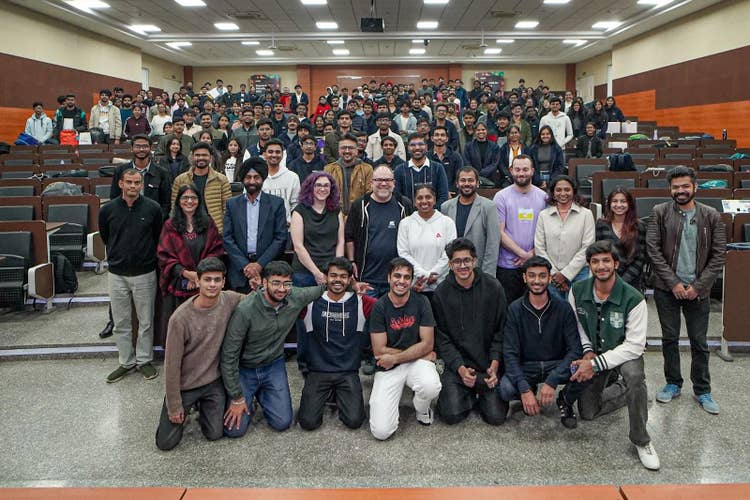
When our team first saw the announcement of an Adobe Express Add-ons for Enterprise hackathon (check out Adobe’s post about the event) through our college’s training and placement cell, we didn’t just see a 24-hour coding challenge. We saw an opportunity to get into a room with amazing developers (and escape classes for a while) to build something that would actually help designers.
That “something” became Pixel Pluck: an Adobe Express add-on that fills a critical gap — generating on-brand ideas from trends quickly, without the need for the designer to leave the canvas.
The image above shows the 170 hackathon finalists, the Adobe team, and the NSUT Training and Placement team at the NSUT Faculty at the end of the 24-hour event.
What Pixel Pluck does
Pixel Pluck performs three core tasks to bridge a brand’s identity and a designer’s canvas:
- Brand intelligence: Extract complete brand kits and design language from any website
- Creative generation: Generate trend-based design ideas with prompts for Adobe Firefly
- Quality assurance: AI-powered design auditing for brand consistency
The Adobe Express add-on is aimed at designers and artists at small to medium-sized enterprises who don’t want to spend a lot of time researching trends that fit the brand identity and design language, but rather spend more time on the canvas itself.
Pixel Pluck lets users bring their own free or premium keys for the industry-standard LLMs (we used Llama models via the Groq API) to ensure the add-on is accessible to everyone and fits their budgets.
Getting there wasn't easy. In reality, it was a chaotic mix of aggressive scoping, tactical sleep deprivation, and knowing exactly where to spend your technical capital before the clock even started.
How we prepared
A hackathon only gives you 24 hours to execute — the weeks before are for preparation. We formed our team through The Debugging Society at Netaji Subhas University of Technology in Delhi (NSUT) and iterated on prototypes and ideas. When we reviewed the Adobe Express brands tab, we realized something was missing: No add-on or existing feature generated ideation that respected a brand’s identity. That insight became our north star.
While Prachi and Aditya worked on the ideation and the prototype, Keshav dug into documentation and experimented with the Model Context Protocol (MCP).He identified platform constraints (for example, some tabs were not directly accessible) and planned workarounds (we relied on local client storage to hold brand data).That prep meant that when the event started, we didn’t waste the first hours learning APIs — we started building.
Building an extension with an existing, production-ready development environment like Adobe Express was a challenge we hadn’t encountered before. Fortunately, Adobe held many talks and sessions to help us understand the development environment. More than just a coding marathon, we saw it as a critical learning opportunity: to master collaborative teamwork, to integrate features within an established framework, and ultimately, to engineer new functionality that felt like a seamless, native part of the application itself. As Prachi put it: “A tool that lives in a silo is just a toy. We need something that feels like it has been in a designer’s toolkit for years.”
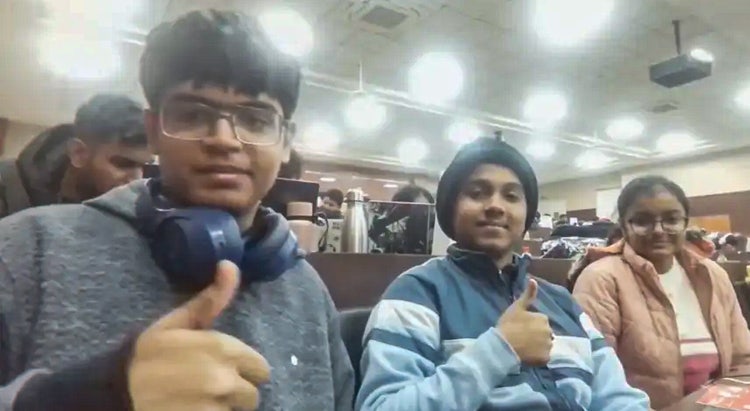
Team Pixel Pluck from left to right: Keshav, Aditya, and Prachi
Hackathon Day: code, caffeine, and chaos
We arrived, grabbed our Adobe hoodies and stickers, and immediately got to work. To move at this speed, you don’t multitask; you specialize. We started building the interface with Adobe Spectrum React components and — working in Cursor and VS Code with the Adobe MCP — ensured the add-on felt like a native part of the Adobe Express workspace. If it doesn’t look like Adobe, it doesn’t feel like a tool; it feels like an intruder.
The first technical roadblock was LLM inconsistency. In a professional design setting, “creative” can mean “unreliable”. If a brand uses a specific shade of navy, for example, a model suggesting a slightly different shade is a failure. We fixed this by introducing rigid context layers, shifting the AI from an artist to a compliant junior designer. We told it exactly what it could not do, and those limits, paradoxically, made it much better at what it could do.
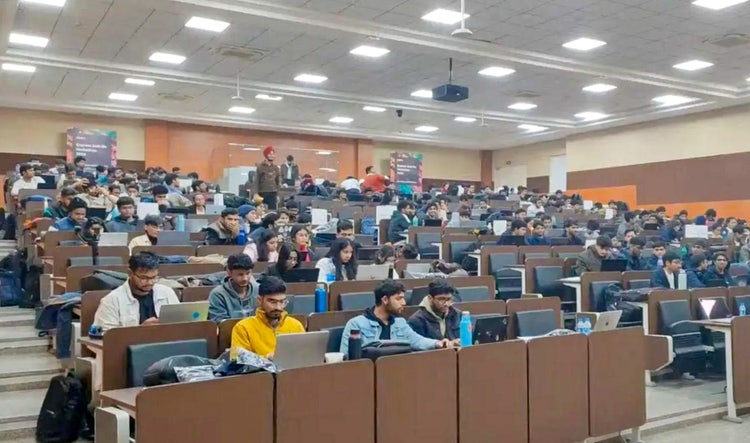
The late night: bhujiya and mints
By late night, we were deep into the hardest technical problem: extracting a brand’s identity. A brand is not just a logo; it’s a mission. Our goal was to create a “brand brain”, a system that feeds an LLM the rules, such as color palettes and tonal constraints, before it ever generates a pixel. Coding a system that can interpret the feeling of a brand and translate it into technical design constraints was the hardest part of the build.
Fuel came in the form of Domino’s and a quick McDonald’s run (thanks, Adobe, for keeping us fed). Around 2:00 AM, we relied on bhujiya and extra-strong mints to stay sharp. And as the sun started to peek through, early-morning chai helped us finish recording our demo videos. We barely stayed awake to submit, but the logic held.
The second shift: the 18-hour coma
Hackathons end when the timer hits zero, but professional products do not. After the submission, we went home and slept for 18 hours straight. When we woke up, reality set in: We realized that the hackathon code was, to put it politely, a disaster. It was functional, but not ready for real users.
We spent the next period in what we called “De-hacking mode” — removing quick fixes, reducing technical debt, and hardening the AI. We added strict checks and safety guardrails to ensure the model wouldn’t go rogue in client work.
The Adobe team was incredibly supportive during this phase, offering a video review to discuss the nuances of the integration. That feedback provided the final layer of polish and helped us transition from a student project to a published marketplace add-on.
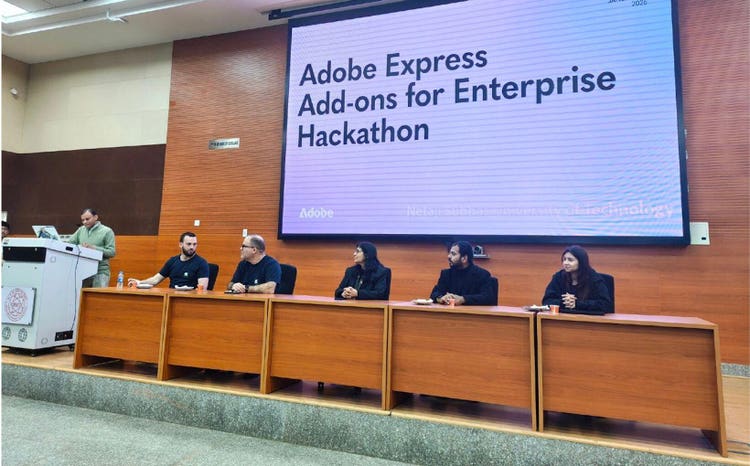
Where we are now
Pixel Pluck is now live on the Adobe Express marketplace, proving that with weeks of prep, 24 hours of caffeine, and a dedicated team, you can actually move the needle.
The experience taught us a few practical lessons. We learned that the best AI doesn’t try to impress you with how much it can do; it tries to respect how much you have already done. Pixel Pluck was built on the belief that context is the ultimate leverage. By giving AI the rules of the brand, we gave designers their time back.
Since the hackathon, we’ve kept building. We’re continuing to explore the MCP and add-on development, and Keshav has released another add-on, PhotoLabs, which focuses on photo-centric tools like RGB/CMY plates, HSL maps, and color simulators.
Next year, we will come better prepared and will be much more familiar with the environment. If you’re entering your first add-on hackathon: Bring a good idea, read the docs early, and everything will fall into place.
Acknowledgments
A huge thanks to the Adobe team and everyone who helped make this amazing event possible: Ingo Eichel, Erin Finnegan, Shirin Shakir, Kalyan Dechiraju, Nimitha Jalal, Taylor Krusen, Vamshi Chiluka, Yash Jugran, Ajit Kumar, and Akshay Abrol. And also to Fardeen Mansoori and Gyana Ranjan Mohanta, two Adobe Express add-on developers from India.
Team Pixel Pluck are Prachi (B.Tech CSAI Sophomore), Keshav Kumar (B.Tech IT Fresher), and Aditya Thakur (B.Tech IT Fresher). For a full description of the Pixel Pluck add-on and more information on the hackathon, see this Devpost page.