The UXP Hub: One Place to Learn UXP Plugins, from Building to Distribution
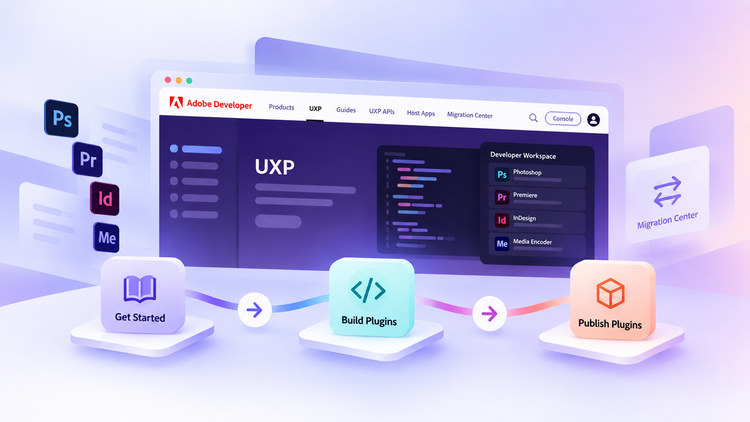
The new UXP Hub brings UXP documentation and developer resources together in one place, so you spend less time hunting for the documentation and more time building .
Whether you are new to UXP, actively building a plugin, or already shipping UXP plugins across Adobe applications, now you can start at the UXP Hub.
Learn the UXP fundamentals there first, then move into the relevant host documentation when you need product-specific APIs, examples, and resources.
Hi! I'm Karan, and I recently joined Adobe as a Developer Relations Engineer on the UXP team. I have been working on re-organizing the UXP documentation ever since. Let us know what you think of the new UXP hub here.
A Hub Organized Around How You Build
The UXP Hub Guides section is organized around three stages of plugin development:
Get Started → Build Plugins → Publish Plugins
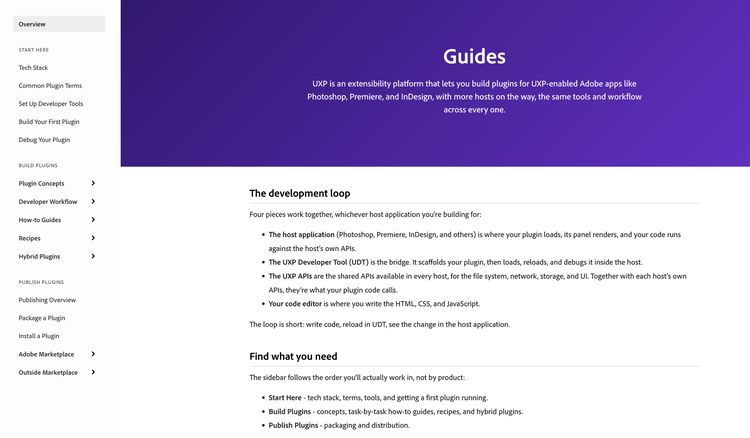
- Get Started covers the foundations: the UXP technology stack, common plugin terminology, setting up your developer tools, getting your development environment ready, building your first plugin, and debugging.
- Build Plugins covers core plugin concepts and development workflows, UXP API recipes, and more advanced topics such as hybrid plugins.
- Publish Plugins covers the publishing process: packaging, distribution, and preparing your plugin for Adobe Marketplace.
If you already know UXP well, the Hub is also now the central place to find the UXP API reference, changelog, and latest updates, rather than one more site to check alongside the others.
Why Consolidate the UXP Documentation?
Previously, common UXP content was maintained separately across each host’s documentation site. As UXP evolved through new releases, keeping the same platform information current in multiple places created duplicate work and let versions drift out of sync with each other. As UXP expands to more Adobe applications, that problem would only compound.
The UXP Hub now gives that shared content one home:
- UXP APIs and changelogs
- Development guides
- Navigation to supported host documentation, including Photoshop, Premiere, InDesign, and Media Encoder
- The Migration Center
For you, that means one consistent, current source for UXP information instead of several versions that may or may not agree. For example…
What Hasn’t Changed
Photoshop, Premiere, InDesign, Media Encoder, and other host applications each have their own capabilities and DOM APIs. Product-specific DOM APIs, examples, sample plugins, and host changelogs continue to live on their respective documentation sites.
In short:
- UXP Hub: UXP concepts, APIs, tools, recommended practices, and how to build and publish plugins.
- Host documentation: product-specific APIs, host-specific sample plugins, and updates.
If you are building for Photoshop or Premiere Pro, for example, use the UXP Hub to understand the platform and the development journey, then move to that product’s documentation for its DOM APIs and host-specific resources.
New CEP Migration Center
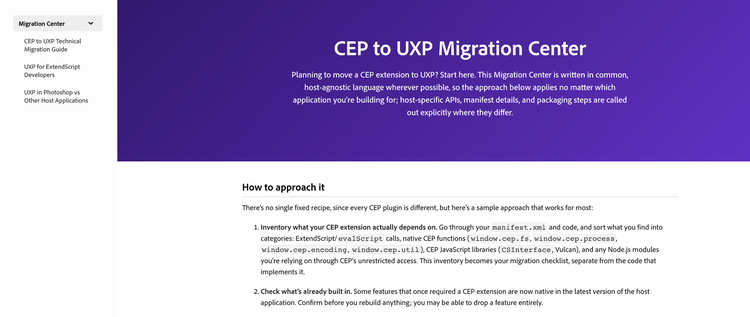
If you have existing CEP extensions, the UXP Hub’s new Migration Center is there to help, with an initial set of migration guidance and recommended practices to help you understand and plan your move from CEP to UXP.
We will continuously expand it with additional guidance, practical examples.
New to UXP; Adobe Media Encoder
The Adobe Media Encoder UXP documentation, currently in public beta, is the first host documentation site connected to the Hub: use the Hub for common UXP concepts, APIs, tools, and guidance, then move to the Media Encoder documentation for its product-specific APIs, sample plugins, and updates.
Because this is a public beta, we are specifically looking for feedback on whether information is easy to find and whether the path between the Hub and host documentation is clear. We will use what we learn here to decide how to extend this model to other host documentation.
What’s Next for the Hub
The UXP Hub is a foundation. From here, our focus is on making UXP API documentation easier to understand and use, keeping the UXP changelog current, expanding examples and migration guidance, and improving the documentation experience further. More broadly, it reflects continued investment in UXP as more developers build new plugins and migrate existing extensions to the platform. We want the documentation, tools, examples, and guidance to grow alongside the developers using it.
We would like to hear how the UXP Hub is working for you. Share your questions, suggestions, and feedback in the UXP developer forum, or use the anonymous UXP feedback form if you would rather not post publicly. We will also talk about more UXP news at Adobe Developers Live on September 29 and 30. Please register here.
Keep building with UXP!